
Homophones Studio1.0 - App Store
You'll be able to see results in few seconds.
Publisher Description
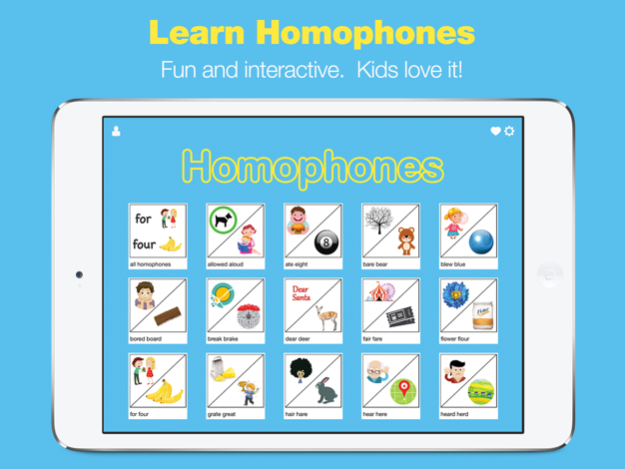
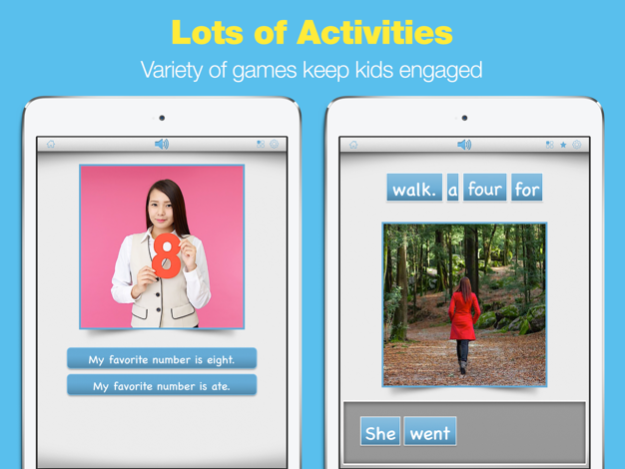
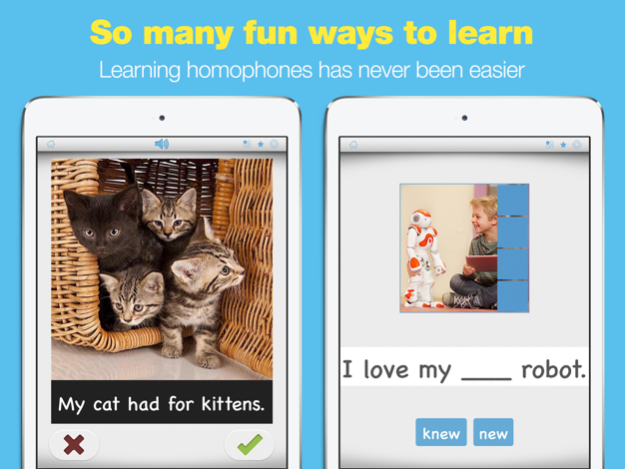
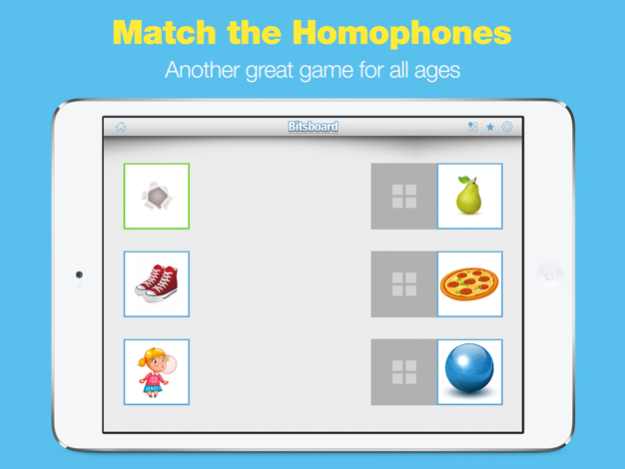
"Finally a great way to introduce homophones to kids! This app is amazing!" First grade teacher and mom.
WHY PARENTS AND TEACHERS LOVE THIS APP
- Fun and interactive
- You can teach just the homophones you like
- Multiple games keep kids engaged
- Huge existing library of homophones and examples
- Easy to add your own
- Easy to customize
- Track user progress
- Customize the settings and save the settings for each user
WHY KIDS LOVE IT
- Fun and interactive
- Kids love playing games
- Great content and photos
- Huge variety of activities
KEY FEATURES:
- Easily add your own examples. The app can automatically detect homophones in a sentence and present the appropriate choices to the user. So all you have to do is add a sentence.
- Even if the app misses a homophone (unlikely unless you are teaching a foreign language), you can easily add your own new homophones into the trick tile generator to keep expanding the capabilities of the app).
HOMOPHONES GAMES
- Match the Homophones - Match related homophones
- Missing Item Game - Add the correct homophones
- Word Builder - Can you complete the sentence?
- True or False
- Flashcards
HEROIC SUPPORT
Heroic Support is not just what we do. It's really what makes us, well, us. It's that drive to make a difference in your life - no matter how big or small. Really, it's our way of life because we want you to be our customer for a lifetime of fun and learning.
Have questions? We are here to help. Email us at support@grasshopperapps.com
Mar 17, 2016
Version 1.0
This app has been updated by Apple to display the Apple Watch app icon.
About Homophones Studio
The company that develops Homophones Studio is Innovative Investments Limited. The latest version released by its developer is 1.0.
To install Homophones Studio on your iOS device, just click the green Continue To App button above to start the installation process. The app is listed on our website since 2016-03-17 and was downloaded 0 times. We have already checked if the download link is safe, however for your own protection we recommend that you scan the downloaded app with your antivirus. Your antivirus may detect the Homophones Studio as malware if the download link is broken.
How to install Homophones Studio on your iOS device:
- Click on the Continue To App button on our website. This will redirect you to the App Store.
- Once the Homophones Studio is shown in the iTunes listing of your iOS device, you can start its download and installation. Tap on the GET button to the right of the app to start downloading it.
- If you are not logged-in the iOS appstore app, you'll be prompted for your your Apple ID and/or password.
- After Homophones Studio is downloaded, you'll see an INSTALL button to the right. Tap on it to start the actual installation of the iOS app.
- Once installation is finished you can tap on the OPEN button to start it. Its icon will also be added to your device home screen.
Program Details
System requirements
Download information
Pricing
Version History
version 1.0
posted on 2016-03-17
Mar 17, 2016
Version 1.0
This app has been updated by Apple to display the Apple Watch app icon.
version 1.0
posted on 2016-03-17
Disclaimer
Official App Store Link
We do not host Homophones Studio on our servers. We did not scan it for viruses, adware, spyware or other type of malware. This app is hosted by Apple and passed their terms and conditions to be listed there. We recommend caution when installing it.
The App Store link for Homophones Studio is provided to you by apps112.com without any warranties, representations or guarantees of any kind, so access it at your own risk.
If you have questions regarding this particular app contact the publisher directly. For questions about the functionalities of apps112.com contact us.
